


Solitaire
4.73.81K Reviews
App Specs
- Version
- 5.13.1
- Updated On
- License
- Free
- Downloads
- 5,000,000+
- Developer
- LinkDesks - Jewel Games Star
- Categories
- Card
- Platform
- Android, iOS
Screenshots
 Analysis by AppCompare
Solitaire is the sort of card game that can win you over in a few spare minutes, then face a quieter test: does it still feel worth opening once the novelty wears off? I like this kind of game best when it makes a small daily pause pleasant without demanding a big commitment. This mobile version has the familiar appeal of arranging cards into order, and its free-to-play setup makes it easy to try. The longer-term question is whether its familiar routine, daily challenges and personal touches give you enough reason to keep it around.
The first week: easy to pick up, easy to revisit
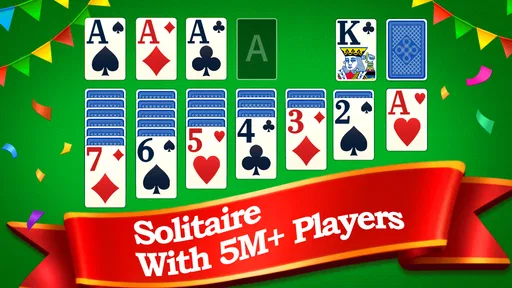
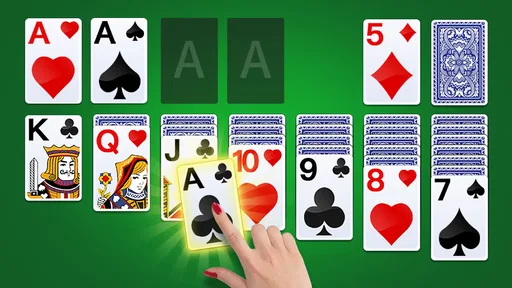
During the first few sessions, the attraction is immediate if you already know the rules. You can settle into a game without learning a complicated system or following a long tutorial. Newcomers can also understand the basic aim quickly: build four suit piles in ascending order, beginning with Aces. That clarity is a real strength on a phone, where a game often has to make sense before a short break is over.
The everyday use case is simple. I might open it while waiting for an appointment, take a few minutes to play, then put the phone away without needing to remember a story or manage a team. That makes it a better fit for brief, low-pressure breaks than for someone seeking a demanding strategy game. Its familiar structure is comforting, but it also means the first-week appeal depends more on enjoying Solitaire itself than on discovering a deep new game system.
The app is a free card game from LinkDesks - Jewel Games Star. It has an Everyone age rating, and its 4.8 average from around 55,000 ratings suggests that many players respond well to its straightforward approach. It has passed five million installs, so this is an established mobile take on a familiar pastime rather than an obscure experiment. I’d describe it as an accessible option for casual players, while keeping in mind that broad popularity does not automatically make it the right fit for every Solitaire fan.
Getting Started with Solitaire
First things first, downloading Solitaire is a breeze. Head over to your app store, search for “Solitaire,” and you’ll find a plethora of options. For this review, I picked the top-rated one, which promises a classic experience with modern twists.
Once installed, the app opens up with a clean, user-friendly interface. You’re greeted with a simple menu that lets you dive right into the game or tweak settings to your liking. The developers have done a great job of keeping it straightforward—no unnecessary frills, just pure card-stacking fun.
Gameplay Experience
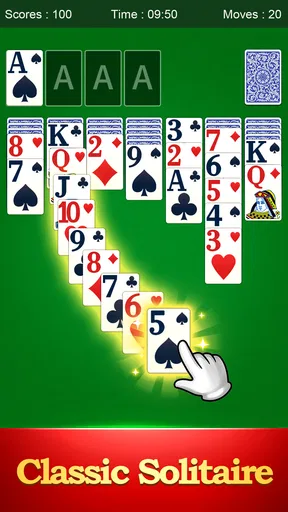
The core of Solitaire remains unchanged. Your mission is to sort cards into four piles, one for each suit, from Ace to King. If you’ve played Solitaire before, you’ll slip right back into the groove. But even if you’re a newbie, the game is intuitive enough to pick up quickly.
Worth Reading Before You Choose

Baby Panda World Brings Quick Play to Modern Phones, but Its Game Library Feels Busy

ESPN’s Live Game View Makes Following Close Games Easier

QuizzLand Review: A Good Fit for Short Trivia Breaks, Not Every Player

Basketball Stars: Multiplayer Is Fast, but Can It Recover When Matches Go Wrong?

WEBTOON Turns Phone Updates Into a Better Reading Routine

Link to Windows Runs on Shared Habits, Not Social Feeds
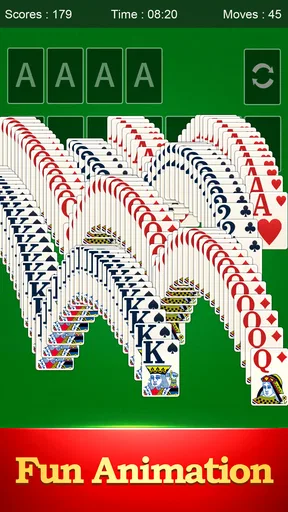
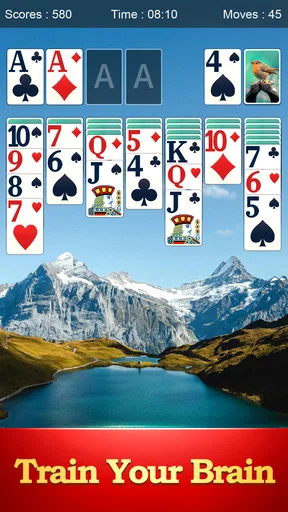
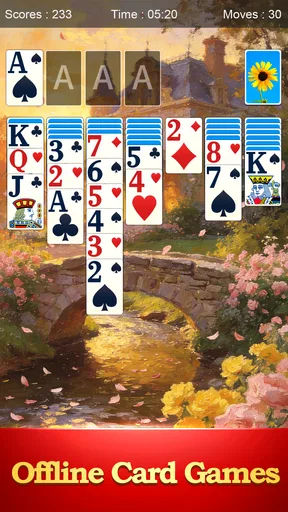
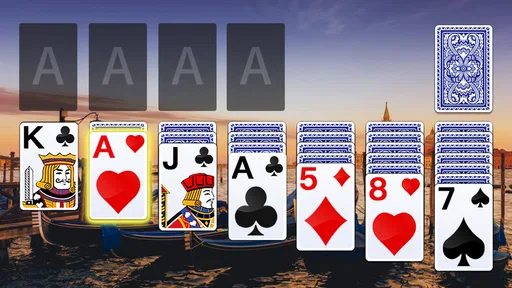
What makes this mobile version shine are the little touches. You can customize your card backs and backgrounds, adding a personal touch to your game. The animations are smooth, and the card movements feel natural, almost like handling real cards. I found myself lost in the game for hours, just like the good old days.
Month-to-month value: routine matters more than novelty
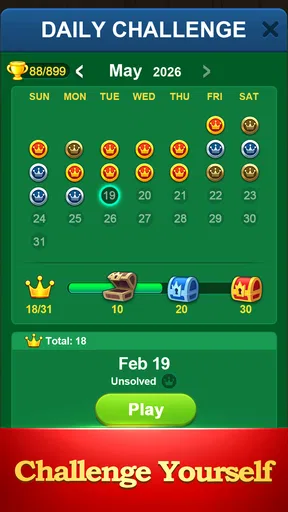
After the first burst of curiosity, daily challenges can give a returning player a concrete reason to open the game. They turn an otherwise familiar round into a small puzzle with a clear goal. I’d treat them as an optional ritual rather than a duty: if you enjoy having one specific challenge to tackle, they can add shape to a casual habit; if you prefer to choose every deal freely, they may feel like an extra prompt rather than a meaningful change.
A useful way to keep the game from becoming automatic is to vary how you play. Some sessions can be about finishing a deal; others can be about pausing to consider whether a move opens up a useful card or simply shifts cards around. The hint system is handy when you hit a genuine dead end, but I’d use it after looking over the tableau myself. That small delay keeps the decision-making in your hands and makes hints more useful than tapping them reflexively.
Customization also has a practical side beyond appearance. A different card back or background can make a familiar screen feel more comfortable to return to, especially if you play in short bursts throughout the week. Still, cosmetic variety does not change the underlying game. If what you want after a month is new rules, a campaign, or a major shift in challenge, visual options alone are unlikely to provide that.
Features That Stand Out
One feature I absolutely love is the daily challenges. Every day presents a new puzzle to solve, adding an extra layer of engagement. Not only does this keep the game fresh, but it also gives you a reason to come back every day. Plus, completing challenges earns you rewards, which is a nice little incentive.
Another neat addition is the hint system. It’s perfect for when you’re stuck and need a nudge in the right direction. But don’t worry, it doesn’t spoil the fun—it’s just a gentle push to keep things moving.
For those who love tracking their progress, the game comes with a comprehensive stats page. You can see your win percentage, streaks, and other cool metrics. It’s a great way to challenge yourself and improve your skills over time.
How it compares with other ways to play
Compared with a physical deck, the app removes setup and cleanup, and it is easier to fit a single round into a short wait. A real deck, on the other hand, gives you tactile handling and freedom from a screen; I’d choose that for a relaxed evening at a table, but choose this app when convenience matters more. Compared with other digital Solitaire games, its appeal is the familiar card game plus daily challenges, hints, stats and cosmetic choices. Those extras are useful, but players who want a different solitaire variant or a broader collection of card games may be better served by an app built around that variety.
The stats page is most useful when you pick one measure to care about, such as your win percentage, rather than treating every number as a scorecard. A streak can make a short session feel satisfying, but it can also encourage playing when you would rather stop. I’d use the figures as a personal record, not as proof that every deal should be won; the game is more enjoyable when a loss is simply the end of one round.
Maintenance and small sources of friction
The game’s maintenance burden should be low for someone who only wants occasional card play: the current version is 5.7.1, and it runs on Android 6.0 or later. I’d still leave room on the device for ordinary app updates and check that the installed version remains current if something behaves unexpectedly. It was released on March 8, 2021, and its continued presence gives casual players a familiar option, though a long-lived game is only valuable if its routine still suits you.
Because it is free and ad-supported, interruptions are part of the trade-off. Ads appearing between games can be tolerable if you usually play one round at a time, but they can become more noticeable when you are in the middle of a longer session. The published description of an ad-free premium version is worth treating cautiously: I would check the current in-app options before making a purchase, rather than assume a particular price or package. If uninterrupted play is essential, an option with clearly suitable ad terms may be a better match.
There are a few practical ways to reduce friction without turning the game into a chore. Decide before opening it whether you have time for one round or several; that helps keep a quick break quick. If a deal starts to feel like repetitive card shuffling, step away rather than using hints just to push through. And if the screen’s appearance begins to feel stale, try a different available background or card back before deciding that the whole game has lost its appeal.
Ads and In-App Purchases
Now, let’s talk about the elephant in the room—ads. Like many free apps, Solitaire is ad-supported. While they’re not overly intrusive, they do pop up between games. If you’re someone who finds ads distracting, you might consider the premium version, which offers an ad-free experience.
Aside from removing ads, the premium version also unlocks additional themes and card designs. But honestly, the free version offers enough variety to keep most players happy. It’s a classic case of “if it ain’t broke, don’t fix it.”
Who should keep it, and who should move on
I’d recommend giving it a place on your phone if you already enjoy classic Solitaire, want a simple solo game, or appreciate a daily puzzle and a record of your play. It can suit someone who likes a small, familiar routine more than a constant stream of new content. With an Everyone rating, it is also broadly approachable as a straightforward card game for different ages, though younger players may still need the usual guidance around device use and in-app spending.
I’d skip it if you dislike ad-supported games, need every session to introduce a new mechanic, or mainly want multiplayer competition. It is also not the best choice if you find card games frustrating when a deal does not resolve as you hoped. In those cases, a different card title, a puzzle game with more varied stages, or a physical deck may fit better than expecting this familiar format to transform into something it is not.
One question people often have is whether it is suitable for a quick session rather than a long commitment. In my view, yes: the rules are easy to return to, and you can play when a gap opens in the day. Another is whether the extra systems are necessary. They are not; you can enjoy the core card sorting without making daily challenges, rewards or stats the point of every visit. That optional quality is part of what makes it easy to keep casually installed.
Final Thoughts
At the end of the day, Solitaire on mobile is a delightful throwback to simpler times. It captures the essence of the classic game while sprinkling in modern touches that enhance the experience. Whether you’re a longtime fan or a curious newcomer, this app is a solid choice for your card-playing needs.
So, if you’re feeling nostalgic or just need a quick brain teaser to pass the time, give Solitaire a try. It’s a charming blend of old-school fun and modern convenience that’s sure to keep you entertained.
Ready to shuffle and deal? Head over to the app store, hit download, and start playing. Happy card stacking!
Long-term verdict: a modest habit, not an endless source of novelty
The enduring value here is less about dramatic change and more about having a known, low-effort activity ready when you want it. A 4.8 average across around 55,000 ratings and roughly 3,600 written reviews reflects a strong response from its audience, while the five million-plus installs show that the game has reached many casual players. Those figures are reassuring context, not a guarantee that you will want to play every day. I’d judge its staying power by whether the daily challenge, familiar deal and occasional progress check still feel pleasant after the first weeks.
My recommendation is to try the free version and let your own routine decide. If you keep returning for a few calm rounds, the app has earned its space without needing to become a major hobby. If you stop opening it once the initial nostalgia fades, that is a fair outcome too: the game’s best quality is its convenient familiarity, and that only matters when you actually want another round.
Pros
- Simple and intuitive interface for easy play.
- Offline mode available
- no internet needed.
- Multiple themes for personalized experience.
- Daily challenges keep gameplay fresh.
- Small app size
- saves device storage.
Cons
- Ads can be intrusive and frequent.
- Limited customization for card designs.
- No multiplayer or social features.
- Sound effects can be repetitive and annoying.
- In-app purchases needed to remove ads.
FAQs for Solitaire
What are the main features of the Solitaire app?
The Solitaire app offers a classic card game experience with customizable themes and backgrounds. It includes daily challenges, hints, and undo options for a seamless gaming experience. The app also provides multiple scoring systems, such as Vegas and Classic, making it suitable for both casual and serious players.
Is the Solitaire app free to download and play?
Yes, the Solitaire app is free to download and play. However, it may include in-app purchases for additional features, themes, or to remove ads. Users can enjoy the basic game without spending money, but premium options enhance gameplay and personalization.
Does the Solitaire app require an internet connection?
The Solitaire app can be played offline, making it perfect for on-the-go entertainment without an internet connection. However, an internet connection is required for accessing daily challenges, updates, and certain features like leaderboards and syncing progress across devices.
Is the Solitaire app available on both Android and iOS platforms?
Yes, the Solitaire app is available on both Android and iOS platforms. Users can download it from the Google Play Store for Android devices and the Apple App Store for iOS devices, ensuring a wide reach and compatibility with most smartphones and tablets.
How does the Solitaire app ensure user privacy and data security?
The Solitaire app prioritizes user privacy and data security by adhering to industry standards for data protection. It collects minimal personal information and uses encryption to safeguard data. Users can review the app’s privacy policy for detailed information on data handling practices.


